The Power of Passive Tracking and Automation
The strongest case for automating your daily routine has almost nothing to do with pressing buttons. It starts with a phone that simply notices where you are, how long you stay, and when you leave.
That distinction matters. Task automation assumes you remember to trigger something. Passive context assumes you forget everything and let your environment do the work. You arrive at the office, dwell for a few minutes, and a record writes itself. You leave a client site, and an entry lands in a spreadsheet before you reach the parking lot.
Saga sits at the front of this chain. As a lifelogging application, it reads location context from the phone you already carry, then hands that context to IFTTT (If This Then That), which translates the event into something useful elsewhere. One app detects the situation. One connector relays it. A third service stores, alerts, or acts.
This is roughly the vision IFTTT CEO Linden Tibbets described years ago: digital tools that talk to each other without you wiring them together by hand. The operational version is almost boringly simple. Context in, action out, no manual check-in.
A practical setup usually begins with three recurring places: home, work, and one client or gym location. Those produce enough repeat visits to validate your triggers within a week or two. And the useful signal isn't a single GPS ping. It's an arrival or departure confirmed after a short dwell window, commonly three to ten minutes, so a brief drive-by never becomes a false diary entry.
Criteria for Selection: How We Chose These Applets
Not every IFTTT recipe deserves a place in a routine. The shortlist below started by throwing out anything driven by a button tap, an NFC scan, a QR code, or a form submission. If a recipe couldn't run from phone-carried location context, it didn't qualify.
Arrival triggers got priority. They map cleanly onto daily life because most habits anchor to places you reach, not places you abandon. But arrival recipes only work when a geofence can be drawn tightly around a single venue. In dense areas that means roughly 75 to 250 meters; in suburban areas, 250 to 600 meters is more realistic.
Duration-based recipes were treated with more confidence than instantaneous ones. A stop that lasts at least ten to twenty minutes filters out parking, traffic lights, and pickup loops. That filter is the difference between a trustworthy log and noise.
The curated set here was developed and stress-tested by Kitty Ireland, Teresa Demel, and Kevin Rexroat. The test pattern was unglamorous: run each recipe across five to twelve repeated visits before trusting it for invoices, family alerts, or permanent storage. A recipe that fires correctly once proves nothing.
Work & Productivity Automation
Work automations share one evidence chain. The phone observes presence at a work-related place, the connector posts a timestamped record, and the record becomes proof you can bill against, expense, or reference later. Three recipes carry most of the load.
1. Track Billable Hours Automatically
The cleanest billable record holds four things: an arrival timestamp, a departure timestamp, the venue label, and an optional project tag, all written into a spreadsheet or work log within a minute or five of the trigger firing.
Count a client-site visit only after a dwell threshold of ten to fifteen minutes. Shorter stops usually mean parking, reception delays, or a nearby errand mistaken for the meeting. One caveat worth carrying: a client located beside a coffee shop can produce the wrong venue label even when the timestamp is correct. Treat the logged time as supporting evidence on an invoice, not the sole source of truth.
2. Automate Mileage Tracking for Reports
Mileage automation behaves best when the route is summarized after the trip ends, not at every coordinate along the way. A practical export contains the start place, end place, start time, end time, and a distance band such as under 5 miles, 5 to 25 miles, or over 25 miles. Bands beat false precision when an expense form only needs a defensible estimate.
3. Sync Professional Updates to Yammer
Location can push a quiet status update to a professional network like Yammer when you arrive or leave. Keep the destination private or team-scoped, and keep the text conservative. "Arrived at client site" or "Left office" tells colleagues what they need. Broadcasting exact coordinates tells them more than anyone should want.
Expert Tip: Tag projects at the geofence level, not after the fact. If your work log already knows that arriving at a venue means "Project Atlas," you never reconstruct the week from memory on a Friday afternoon.

Personal Lifelogging & Data Storage
The personal recipes were chosen for durability and review value rather than novelty. A note archive preserves raw breadcrumbs. A calendar view exposes routines and gaps. Category-based triggers connect places to social context. Together they turn movement into something searchable.
4. Export Location Logs to Evernote Notebooks
Send each day's arrivals and departures to a dedicated Evernote notebook and you build a permanent record that outlives any single app. A useful daily note holds the date, venue name, arrival time, departure time, a rough duration, and a source label. The source label matters more than it looks: months later, you can search the archive without reopening anyone's automation history.
5. Create a Passive Calendar Feed of Your Day
Pushing lifelog data into a calendar app turns time into geometry. You see, at a glance, where the hours went. The readability trick is suppression. Group or hide events shorter than five to ten minutes, otherwise a commute with three stops clutters the day view with low-value entries and the signal drowns.
6. Track Restaurant Visits and Social Triggers
The Saga channel can log dining habits and fire social triggers when you reach a particular venue category. Reliability here depends on the place database. Review category labels during your first ten to twenty logged visits, because map databases classify cafes, bars, hotels, and food courts inconsistently.
Main Point: Venue-category automation is only as trustworthy as the underlying place database and the phone's last confirmed location fix. A fifteen-to-thirty-minute weekly review is enough to rename ambiguous venues, merge duplicates, and correct the obvious false arrivals.
Smart Device & Household Connectivity
The previous recipes recorded. These ones act. That shift raises the stakes slightly, because a wrong record is an annoyance while a wrong action interrupts someone's day.
7. Trigger Household Alerts via GroupMe or Life360
An automated "leaving work" or "arrived home" message to family keeps everyone loosely informed without a single text typed. Tie it to two fixed geofences, home and workplace, rather than every errand. That keeps message volume predictable across a five-day week, and a delay tolerance of one to eight minutes is usually fine since the message is informational.
One honest limit: this is commute visibility, not a safety system. Background refresh, battery-saver settings, and network handoff can delay delivery, so don't lean on a family-alert applet for urgent notifications.
8. Mute Your Ringtone Upon Venue Arrival
Silencing the phone on arrival at the office or a theater is one of those automations that feels like magic the first week. It needs a distinct venue boundary and, critically, a reverse action on departure. Without the un-mute, you discover at 9 p.m. that you've missed every call since lunch.
9. Connect Your Quantified Car via OBD
Apps like Dash or Automatic read your vehicle's On-Board Diagnostics data and feed it into your lifelog. The setup requires an adapter seated in the OBD port, usually below the dashboard, and a companion app that exports trip start, trip end, distance, and diagnostic snapshots. Once seated, the car becomes another passive sensor in the chain.
If you build a shopping-list flow on top of this stack, treat it as two steps: publish or update the list source first, then let the connector poll the feed and append or notify when new items appear.
Scope and Limitations of Location-Based Triggers
Three failure modes deserve naming before you trust any of this with money or safety: sensor cost, platform permissions, and venue ambiguity.
Sensor cost. Continuous high-accuracy polling noticeably shortens a phone's day. A more sustainable setup leans on geofencing, Wi-Fi context, and motion state, with periodic GPS confirmation instead of constant satellite fixes. You trade a little immediacy for a battery that survives until evening.
Platform permissions. Trigger latency commonly lands somewhere between 30 seconds and 10 minutes, depending on signal quality, background-app permissions, battery-saver mode, and recent movement between cell towers or Wi-Fi networks. Deeper actions, like system-level ringtone control or per-app behavior, may demand elevated permissions or unofficial operating-system modifications rather than an ordinary app-store install. That tradeoff is yours to weigh.
Venue ambiguity. Dense urban blocks, underground transit, multi-floor malls, and office towers can shift an inferred arrival point by tens of meters, enough to confuse adjacent venues. A suburban home geofence may fire cleanly at the driveway, while an apartment in a dense block needs a larger radius and a dwell threshold to avoid triggering from the street below.
Caution: Test any location automation across at least six to ten real arrivals before using it for money, safety, or compliance records. The first clean run is encouraging. The sixth tells you whether it's reliable.
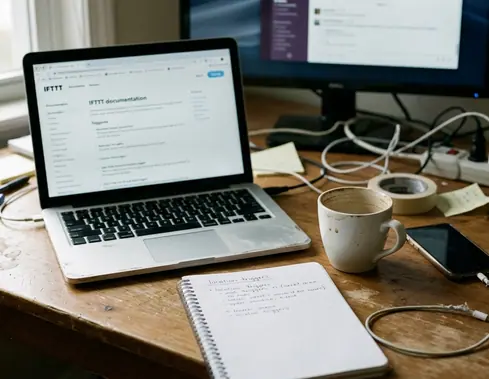
None of this is foolproof, and that's the point worth ending on: passive tracking is efficient precisely because it asks nothing of you, but that same hands-off quality means accuracy will always trail behind a sensor's last honest fix. Build the routine to expect that gap, and the autopilot earns its keep. For the connector specifics, the official IFTTT documentation covers trigger and action behavior in detail.